- Telegram
- Slack
- iMessage & SMS
All your chats in one inbox. Claude sorts them, you decide.
ChatPilot runs on your own computer. It brings your messages together, tells you what's urgent, drafts replies in your style and keeps track of what you promised. Nothing goes out until you press Send.
For macOS, Linux and Windows. Uses your own Claude subscription, so there's no extra AI bill.

Less reading, fewer missed messages
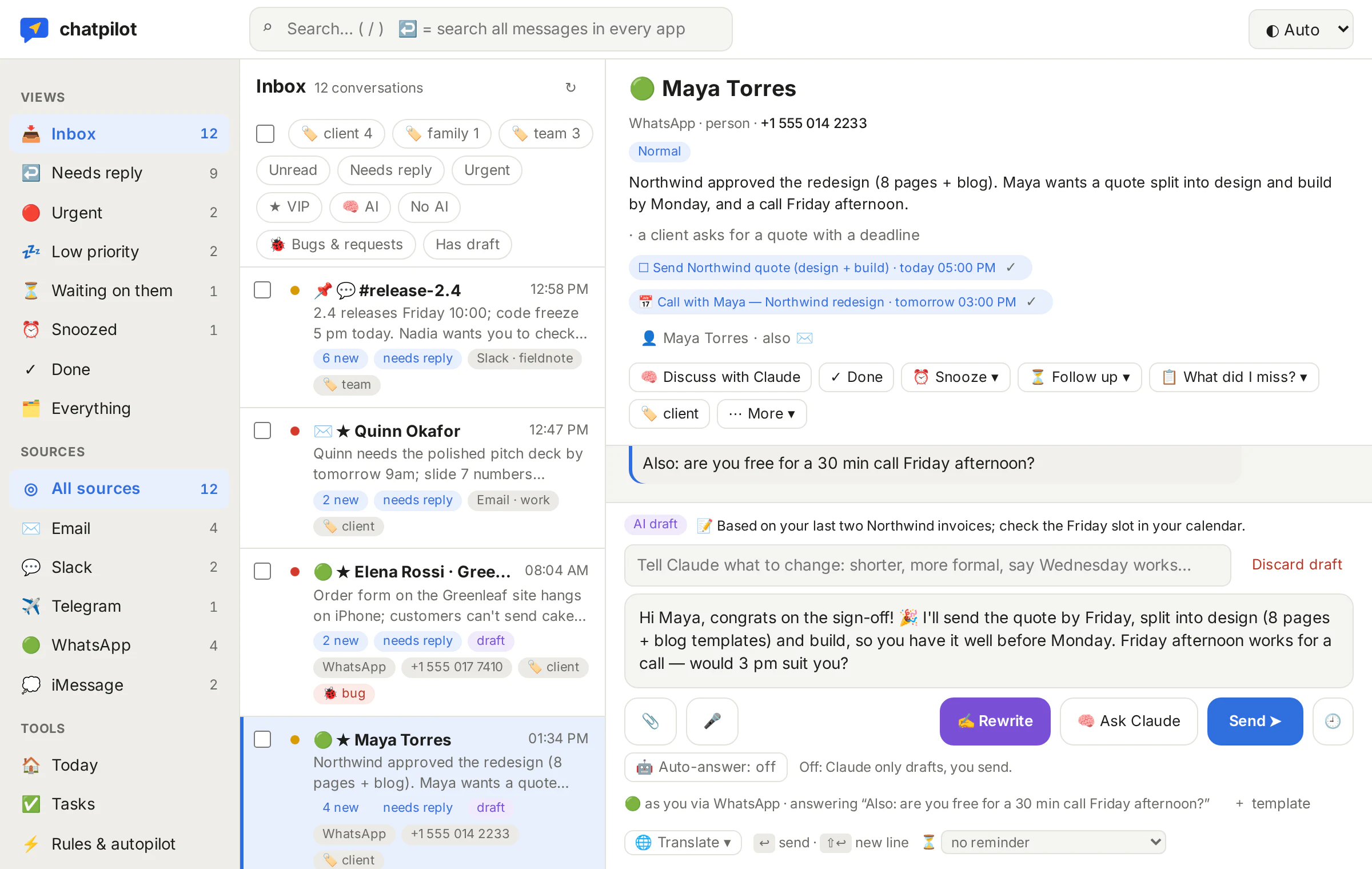
Switch Claude on for the chats you choose. It works through your own Claude login and only sees what you allow.
Sorts what comes in
Every new message is marked urgent, needs reply or low, with a short summary. Urgent ones reach you on your phone; quiet hours keep the rest for the morning.
Drafts in your style
Claude writes a reply that sounds like you, learned from your own messages and from how you edit its drafts. You change what you like and press Send.
“What did I miss?”
One click summarises a busy group or a long thread. Scheduled digests in the morning and afternoon show what's waiting on you.
Tracks tasks and promises
Tasks, appointments and follow-up reminders come out of your chats, with an Apple Calendar feed. Snooze a chat and it comes back when you said.
Discuss it privately
Ask Claude about a chat without anyone seeing: “what does she actually want?”, “is this bug real?”. It can look things up in your own files and connected data.
Translates and transcribes
Messages in other languages are translated. Voice messages are transcribed on your own computer, so the audio never leaves it.
Every app, one list, one reply box
WhatsApp, Telegram, Slack, your mailboxes and, on a Mac, iMessage and SMS land in one inbox. Reply from the same box with files, screenshots, voice messages, templates or a scheduled send. Search across everything, or jump to any chat with ⌘K.
- A full email client: folders, compose, forward, send-as addresses
- One contact for each person, across all their apps
- Pinned chats, labels, snooze, and a profile of each contact
- Works on your phone through your own private network
Your messages stay on your computer
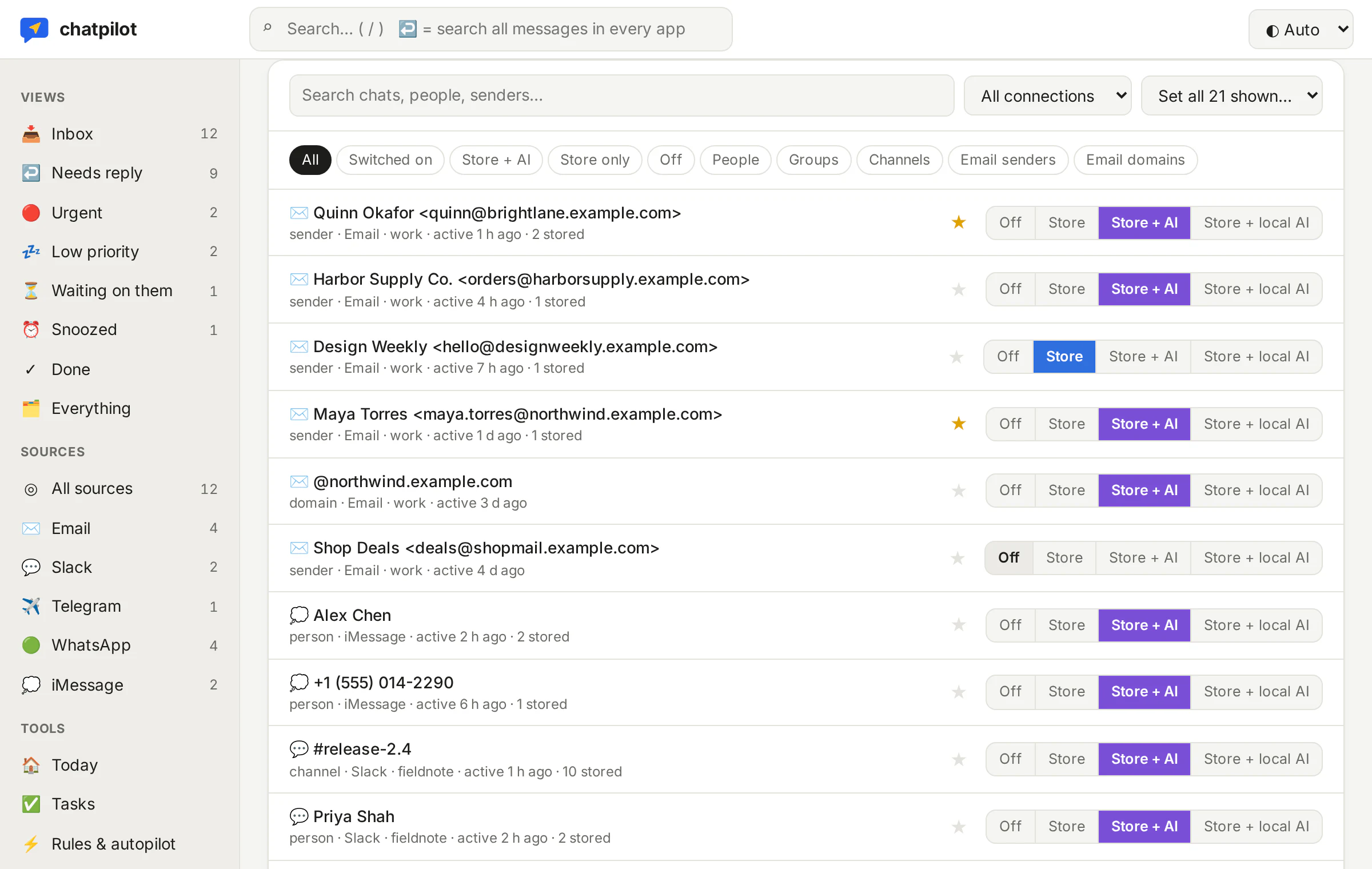
ChatPilot isn't a cloud service. It runs on your Mac, Linux machine or Windows PC, keeps your messages in a database there and your logins in the system keychain.
- Every chat starts switched off. You choose per chat: keep it, or keep it and let Claude read it.
- Nothing is sent without your Send button.
- Claude can only read your files and data, never change them.
- Messages are treated as data: a chat can't give Claude instructions.
Let Claude answer, openly
Away for a week? Switch on the autopilot for a chat. It introduces itself as your AI assistant, marks every message it sends, only answers when it's sure, stops at a daily limit and steps back as soon as you write yourself. Every message it sends is reported to you.
When this happens, do that
Simple rules: “when a VIP writes something urgent, ping me”, “when someone reports a bug, draft a thank-you and make it a task”, “outside working hours, snooze newsletters until the morning”. Plus an away mode with your own message. Nothing automatic is switched on until you set it up.
A Telegram bot just for you
Your own control bot sends you urgent messages, digests and drafts with a Send button, and lets you talk to Claude about any chat from your phone.
Connect your back office
Add your admin panel, CRM or shop as a read-only data source (MCP). In a customer's chat, Claude can then look up that customer's account before it drafts, and turn a bug report into a ticket you file with one click.
Get an invite
ChatPilot is in a private beta for macOS, Linux and Windows. Leave your email and we'll send you an invite and the setup guide when there's room.
We only email you about your invite and the beta. Unsubscribe at any time. How we handle your email.